Buying Guide
Universal Mini Split Remote Controls: Which Ones Work?
How to replace a lost mini split remote, when universal AC remotes work, and when you should buy the OEM remote instead.
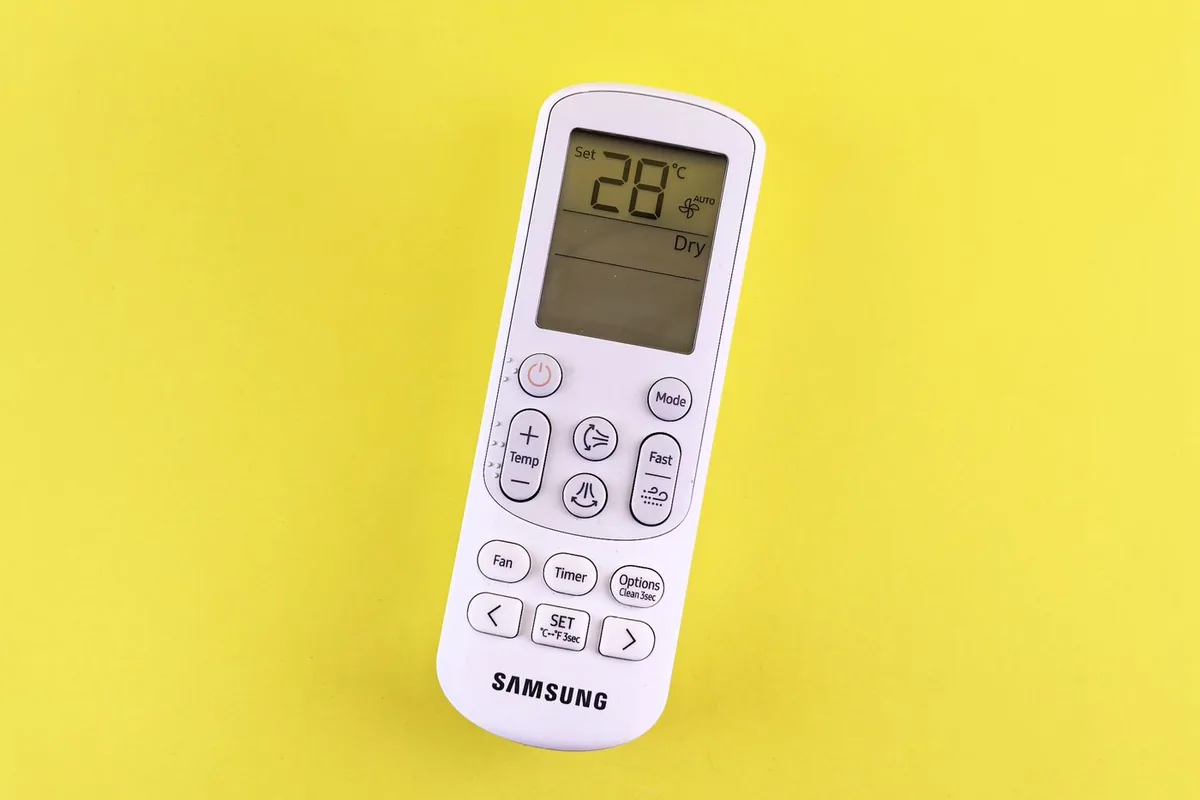
A universal mini split remote can be a cheap fix when the original remote is lost, cracked, or corroded. It can also be a frustrating little rectangle that turns the unit on but cannot control heat mode, swing, timer, or the exact fan behavior you need.
The difference is compatibility. Mini split remotes are infrared command devices, and each brand uses its own code sets. A universal remote works only when it can reproduce the commands your indoor unit understands.
Quick recommendations
- Best first choice: the OEM replacement remote that matches your indoor unit or original remote model.
- Best cheap backup: K-1028E-style universal AC remote if your brand appears in the code list and you only need basic functions.
- Best for app control: a smart IR controller such as Sensibo, Cielo, Mysa, or Flair instead of a handheld universal remote.
- Best for renters or guest rooms: a simple universal remote with clear buttons, but keep expectations realistic.
- Avoid: any listing that says “works with all mini splits” without showing brand codes or setup instructions.
Start with the indoor unit model
Do not start with the outdoor condenser. The remote talks to the indoor head. Find the indoor unit model number on the side, bottom, or under the front cover, then look for the original remote model in your manual or on the back of the remote if you still have it.
For Mitsubishi, Daikin, Fujitsu, LG, Gree, Midea, Pioneer, Senville, and other ductless brands, one brand name can cover many different remote protocols. A remote that works with one wall head may not fully control another.
OEM remote: boring but safest
The OEM remote is the least exciting recommendation and usually the best one. It is the safest way to preserve:
- heat mode;
- dry mode;
- fan speed steps;
- vertical and horizontal vane control;
- economy or quiet modes;
- timer functions;
- special filtration or sensor modes.
Buy OEM when the mini split is expensive, under warranty, used for primary heating, or has features you actually use. The price difference is annoying once. Missing heat mode in January is annoying every day.
K-1028E-style universal remotes
K-1028E universal AC remotes are widely sold and usually include a large brand-code table plus automatic code search. Manuals for this style describe manual and automatic code search and list many supported air-conditioner brands. K-1028E manual example
These remotes are most useful when you need basic control: power, mode, temperature, fan, and maybe swing. They are less reliable for brand-specific functions.
They are worth trying when:
- the original remote is gone;
- the indoor unit is older;
- the remote is cheap and returnable;
- the brand appears in the code list;
- basic cooling or heating is enough.
They are not ideal when:
- you rely on a special sensor mode;
- the unit is your main winter heat source;
- you need precise vane behavior;
- the indoor unit uses an unusual remote.
KT-9018E and similar models
KT-9018E-style remotes are another common category. The buying logic is the same: read the code list before purchase, do not trust the phrase “universal,” and test every mode immediately.
View universal air conditioning replacement remote on AmazonIf the remote powers the unit on but some buttons do strange things, you may be on a partially compatible code. Try the next code listed for the brand instead of assuming the remote is fully configured.
Smart IR controllers are not the same thing
If you want app control, schedules, geofencing, or voice control, a handheld universal remote is the wrong product. Look at smart IR controllers instead. These devices sit in the room, connect to Wi-Fi, and send IR commands to the mini split.
That can be better than replacing the remote if your goal is automation. It can also be worse if all you need is a simple handheld control for a guest room. Smart controllers depend on Wi-Fi, app support, account setup, and line of sight.
View Sensibo Air Smart AC Controller on AmazonHow to test a universal remote
Do not keep a remote just because the power button works. Test the functions you actually use:
- Power on and off.
- Cooling mode.
- Heating mode.
- Dry mode if used.
- Fan speed changes.
- Temperature up and down.
- Vertical swing.
- Horizontal swing if your unit has it.
- Timer.
- Quiet, eco, powerful, or sleep mode if those matter.
Then turn the unit off and back on. Make sure the display and indoor unit behavior still make sense.
Common failure modes
A universal remote can be partly compatible. The display may show heat mode while the indoor unit stays in fan or cool. Swing may work in one direction but not another. Temperature commands may step differently than the original. The remote may not know whether the indoor unit accepted the last command.
That does not always mean the remote is defective. It often means the code set is close but not exact.
Another common problem is room-state mismatch. If the remote sends only the next command and cannot read the indoor unit, it may show one set temperature while the unit is actually operating from the last command sent by the original remote. This is why testing should be done from a clean starting point: turn the unit off, wait for the louver to close, then test one mode at a time. If two people keep switching between a universal remote, the factory remote, and a smart IR controller, the displayed state can become confusing even when every device is technically working.
Bottom line
If you need the remote to work exactly like the original, buy OEM. If you need a cheap backup for basic control, a K-1028E or KT-9018E-style remote can be worth trying. If you want app automation, buy a smart IR controller instead of a handheld universal remote.
Sources used
- K-1028E universal AC remote manual and code list
- K-1028E operating instructions PDF
- Sensibo AC compatibility guidance
Frequently Asked Questions
Will a universal AC remote work with any mini split?
No. Universal remotes work by matching infrared command codes. They can work well with many common brands, but special modes, vane control, heat mode, and exact temperature behavior may not match every indoor unit.
Is an OEM replacement remote better?
Usually yes if you need full feature support. OEM remotes are the safest choice for brand-specific functions, but universal remotes can be a good temporary or budget replacement for basic cooling and heating.
What should I check before buying a remote?
Check the indoor unit model, original remote model, supported brand-code list, return policy, and whether you need heat mode, dry mode, fan speed, vane swing, timer, or special functions.